
Based on public supplier documentation and editorial analysis, not hands-on testing. Confirm current plan features and commercial terms before buying.

You chose the plan with the lowest monthly price. Three months later, the software line on your statement is roughly what you expected, yet your total cost of selling is far higher than you planned. Nothing was hidden, exactly. It was just spread across a payment processor, a marketplace and a handful of add-ons that never appeared on the pricing page you compared.
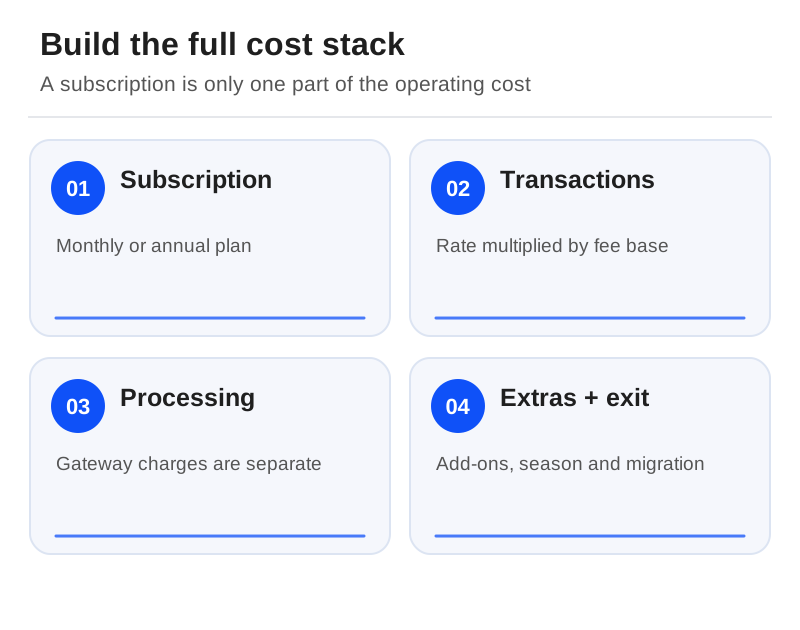
Booking-software costs come in layers, and the price page shows only the top one. This guide builds the whole stack, one layer at a time: what public prices cover, where commission-free plans draw their lines, how to define what a percentage applies to, a worked month in pounds, and the costs that only appear at the end of the season or when you leave.
Layer one: what the price pages actually say
Bókun's ladder runs from START at $49/month plus 1.5% on applicable bookings, through PLUS at $149 plus 1.25%, to PREMIUM at $499 plus 1%. The dollar display does not confirm your billing currency. It lists no Bókun booking fees on Viator reservations for those three plans; the separate Channel Manager product lists 0.5%-1.5% on them. Viator's commission is separate.[1]
Rezdy Foundation displays $49/month, Accelerate $99 and Expansion $249, each plus 3% per online booking. Offline or agent bookings cost $1, $0.85 and $0.70 respectively. The page metadata labels the plans USD, and the visible terms exclude Australian GST, so ask for the regional checkout or a written offer rather than treating these as local, tax-inclusive prices.[2]
Checkfront's page shows $99/month plus 3% on online bookings, no fee for offline bookings and no additional OTA booking fee, and it explicitly says prices vary by region and currency. TicketingHub advertises 3% per transaction with no monthly or setup fee, and its explanation includes card, cash and OTA transactions. Payment costs and marketplace commissions sit in layers of their own.[3][4]
Layer two: "no commission" still has edges
Bookeo's Standard plan for tours and activities is USD 39.95/month and covers 1,000 reservations a month, 20 staff logins, and 20 guides and vehicles. A family reservation counts as one booking. Gateway fees are separate, digital waivers start at USD 9/month and text messages use credits. Confirm tax, and whether you need a larger allowance, before you budget a busy season.[5]
Booqable takes no booking commission on any of its Start, Grow and Scale plans, each with unlimited inventory and orders. Grow brings permissions and e-signatures; Scale brings activity logs and the option of extra locations. Mobile POS, barcode and website-builder add-ons are billed separately. Its pricing page showed more than one billing-state value without a reliable currency label, both in our text capture and the live page we reviewed, so we have not published an unverified local figure. Its help centre confirms monthly and annual subscriptions, so select the currency, term and add-ons in your actual offer.[6][7]
Booqable also says payment-processing fees may depend on the plan, provider and payment method. Check the payment app settings rather than reading "no booking commission" as "free payments".[7]
Layer three: what does the percentage apply to?
A percentage is meaningless until you know its base. For each offer, sort your sales into direct online, staff-entered, cash, local agents and marketplaces, and record both the number of bookings and the revenue. Ask whether taxes, extras, refunded reservations or payment instalments affect the charge. A per-booking fee is not a per-person fee, and a second payment is not necessarily a second booking.
Then ask who pays. Passing a fee on to the guest lowers your statement but raises the total at checkout, so compare what the customer sees as well as what you keep. Any surcharge or disclosure policy has to meet the rules that apply to your business and your payment arrangement.
Layer four: a worked month in pounds
The figures below are invented to show the arithmetic. They are not a supplier quote.
Suppose a plan costs GBP 60 a month, charges 2% on GBP 8,000 of direct online revenue and GBP 0.50 on each of 50 offline bookings. The software charge comes to GBP 245: GBP 60 + GBP 160 + GBP 25.
Now add payments. Assume the direct sales run through a gateway charging 1.8% plus GBP 0.20 on each of 100 card transactions. Processing adds GBP 164. Separately, assume GBP 2,000 of marketplace sales at 20% commission, which adds GBP 400. In this example the marketplace collects its own payments, so that revenue is not counted again in the gateway base.
The full modelled cost is GBP 809, more than three times the software line alone. Even that figure leaves out tax, refunds, chargebacks, add-ons, hardware and migration work, and it assumes you absorb every charge yourself. Those exclusions are why it should not be mistaken for a complete operating budget.

Building your own stack with the worksheet
Open the booking-software cost worksheet and enter one quote at a time. Put in the monthly subscription, the booking-fee rate, and only the sales that rate actually covers. Add any separately calculated per-booking fees and other costs into the additional-cost field, and save your assumptions next to the result.
The worksheet is a scenario calculator, not a database of tariffs. If a quote has several percentage bases, calculate each separately before adding them; never multiply the headline rate by your whole turnover. Run a slow month and a peak month, both in the same confirmed currency. The calculator sits on its own page rather than being embedded here.
Layer five: the season, and the cost of leaving
A monthly price can still come with an annual contract. Regiondo's FAQ specifies a one-year term despite monthly billing, and TrekkSoft's public Starter, Accelerate and Ultimate subscriptions are shown as monthly equivalents billed annually. Check cancellation notice and tax treatment in any offer.[8][9]
Quiet months can surprise you too. Bookeo lets you freeze an account in the off-season for 30% of the normal subscription, but while frozen it cannot take or create bookings or collect waiver signatures. That does not suit a business that sells next summer's tours throughout the winter.[5]
Finally, count the costs of arriving and leaving: staff setup time, supported hardware, cleaning your data, and any period running two systems at once. Secure export access and payment-migration arrangements before you sign. Then choose the lowest total cost among the systems that pass your operational tests, not the one with the smallest percentage on its pricing page.
Calculate booking-software costs with your own fee assumptions. Enter each quote using the same currency, month and chargeable sales base.
Sources
Official documentation supporting this guide. Prices and availability may change; an access date is not a supplier publication date.
- Bókun Pricing And Channel Manager Terms: official source
- Rezdy Pricing And Plan Comparison: official source
- Checkfront Pricing: official source
- Ticketinghub Pricing: official source
- Bookeo Tours & Activities Pricing: official source
- Booqable Pricing And Add Ons: official source
- Booqable: Choosing A Pricing Plan: official source
- Trekksoft Pricing: official source
- Regiondo Grow And Pro Pricing: official source
Related guides and tools
Printable demo and migration checklists · Create a requirements checklist